
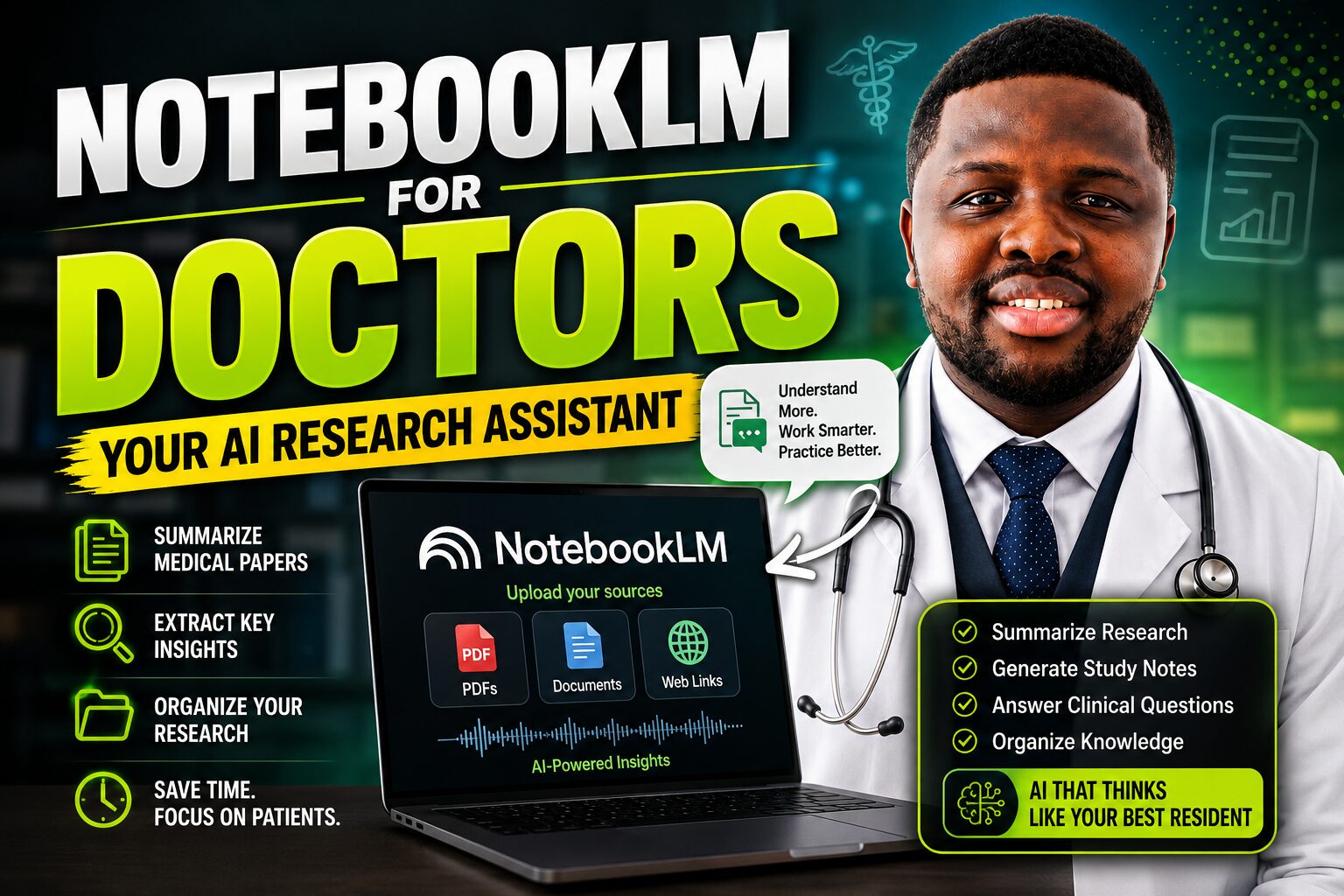
NotebookLM for Doctors: The Complete 2026 Guide for Healthcare Professionals
By Dr Festus Kaasung Kunde, MD | Stavropol State Medical University
Medical Doctor | AI in Healthcare Advocate | Founder, AI Doctor Africa & Ghana Vitals
Published: June 2026 | Reading Time: 18–22 minutes | Category: AI for Doctors
Quick Summary
NotebookLM is Google’s free, source-grounded AI research tool — and it is one of the most underused platforms in medical education. Unlike ChatGPT or Claude, NotebookLM only responds to the documents you upload, with inline citations at every step. In 2026, it now generates Audio Overviews, Video Overviews, Flashcards, Quizzes, Mind Maps, Infographics, Slide Decks, and a personalised Learning Guide — all from your own clinical materials. This article explains exactly how doctors and medical students can use NotebookLM in daily practice.
The AI Tool Most Doctors Have Never Properly Used
Most doctors who have heard of NotebookLM think of it as a document summariser. They upload a PDF, read the summary, and move on.
As a result, they miss what NotebookLM has actually become in 2026 — one of the most powerful, most versatile, and most clinically relevant AI learning tools available to any healthcare professional.
Google Trends, NotebookLM
According to Google Trends, NotebookLM is now more popular than Gemini itself. Furthermore, it received a series of major updates in 2025 and 2026 that transformed it from a simple note-taking assistant into a full learning platform: Audio Overviews you can interact with in real time, Video Overviews that animate complex concepts, source-grounded Flashcards and Quizzes that cite your materials, a personalised Learning Guide, and cross-notebook search via Gemini integration.
For doctors specifically, NotebookLM solves a problem that no other AI tool addresses as effectively: the challenge of working with large, complex, specialised documents — clinical guidelines, systematic reviews, textbook chapters, research papers — and extracting exactly what you need, exactly when you need it, with citations back to the source.
Free NotebookLM
Moreover, Google Trends and NotebookLM are completely free. It runs in any browser via a Google account. It works on a smartphone. Consequently, it is accessible to every doctor and medical student in Ghana and across Africa without any financial barrier.
This article is the complete guide to NotebookLM for healthcare professionals in 2026. It covers every major feature, explains exactly how to apply each one in clinical practice and medical education, and includes a step-by-step workflow for the most common medical use cases. Additionally, it draws on my experience with these tools during my internship at Korle-Bu Teaching Hospital and my medical training in Russia.
Key distinction: NotebookLM does not pull from the internet or its training data. Instead, it responds only to the documents you upload. This source-grounding is what makes it uniquely reliable for clinical guideline review and research synthesis — and uniquely safe for working with sensitive professional documents.
What Is NotebookLM? Understanding the Core Concept
Source-Grounded AI — and Why It Matters for Medicine
NotebookLM is an AI research and learning tool developed by Google and powered by the Gemini AI model. It uses a technique called Retrieval-Augmented Generation — or RAG — to ensure that every response it gives is grounded in the documents you have uploaded, rather than in general training data.
In practice, this means that when you ask NotebookLM a question, it searches only your uploaded sources for the answer. Furthermore, it cites the specific passage from the specific source that supports each point in its response. You can click those citations and go directly to the relevant section of the original document.
General AI tools
For medical professionals, this distinction is critically important. General AI tools like Claude and ChatGPT draw on broad training data, so they can produce responses that blend your uploaded documents with general internet knowledge, sometimes without clearly distinguishing between the two. This creates hallucination risk. By contrast, NotebookLM cannot respond beyond your uploaded sources. Therefore, if the answer is not in your documents, it tells you so — rather than fabricating a plausible response.
Three core medical use cases
This makes NotebookLM particularly well-suited for three core medical use cases: reviewing specific clinical guidelines, analysing specific research papers, and preparing for examinations using specific study materials. In each case, you want responses grounded in authoritative, verified sources — not in general internet knowledge of variable quality.
What You Can Upload
NotebookLM accepts a wide range of source types — broader than most users realise. Understanding this expands what you can do with it significantly:
- PDFs — clinical guidelines, research papers, textbook chapters, lecture slides, exported as PDF
- Google Docs and Google Slides — lecture notes, study materials, case summaries
- Google Sheets — data tables, screening results, epidemiological data
- Websites — paste any URL, and NotebookLM indexes the page content
- YouTube videos — paste a YouTube URL, and NotebookLM transcribes and indexes the video
- Audio files — upload recordings of lectures, conferences, or teaching sessions
- Images of handwritten notes — upload photos of written clinical notes for analysis
The free tier supports up to 50 sources per notebook and up to 100 notebooks per account. Each source can contain up to 500,000 words. Consequently, a single notebook can contain an entire speciality’s worth of clinical guidelines, research papers, and study materials — all searchable through a single interface.
All NotebookLM Features in 2026: Complete Reference for Doctors
The following table presents all major NotebookLM features as of June 2026, along with specific medical use cases for each. Use it as a quick reference when deciding which feature to use for a given task:
| Feature | What It Does | Medical Use Case | Free? |
| Interactive Chat | Ask questions answered only from your uploaded sources — with inline citations | Query a guideline or paper without reading every page | Yes |
| Audio Overview | Generates a two-host AI podcast from your documents; interactive mode lets you ask questions mid-playback | Listen to a cardiology guideline summary during a commute or between ward rounds | Yes |
| Video Overview | Creates a narrated, animated explainer video from uploaded sources | Visual pathophysiology summaries from uploaded lecture slides | Yes |
| Flashcards | Auto-generates source-grounded flashcards with ‘Got it / Missed it’ tracking that saves progress | Revision cards from any uploaded textbook chapter or guideline | Yes |
| Quizzes | Generates MCQs or short-answer questions with an answer key citing your sources | Self-assessment after studying any uploaded clinical document | Yes |
| Learning Guide | Asks open-ended questions and guides you step-by-step — does not just give answers | A deeper understanding of complex pathophysiology or research methodology | Yes |
| Mind Maps | Visualises connections between topics across all uploaded sources | Mapping disease mechanisms, drug classes, or research themes | Yes |
| Study Guide | Produces a structured outline and briefing document from uploaded materials | Pre-ward round or pre-exam summaries from multiple sources | Yes |
| Infographics | Generates visual summaries in 10 styles, including Scientific, Professional, and Instructional | Patient education materials, CME presentations, conference posters | Yes |
| Slide Deck | Creates exportable PPTX presentations from uploaded documents | Grand rounds and CME presentations from guidelines or research papers | Yes |
| Configure Chat | Custom instruction that frames every response for your specific goal | Set context as ‘a junior doctor in a Ghanaian district hospital’ for all responses | Yes |
| Gemini Integration | Mount notebooks in Gemini to query across multiple notebooks simultaneously | Cross-referencing multiple guideline notebooks with real-time web data | Yes |
The sections below explain the most clinically important features in detail, with proven prompts and practical examples from medical practice.
Feature Deep Dives: How to Use Each Tool in Medical Practice
Interactive Chat — Your Clinical Reference Grounded in Your Sources
The Interactive Chat panel is the core of NotebookLM. It allows you to ask questions about your uploaded sources and receive detailed, cited answers. Unlike Claude or ChatGPT, every response includes a citation number linking to the exact passage in your uploaded documents. Consequently, you can verify every claim in seconds — without re-reading the full document.
For clinical use, this is transformative. Instead of reading a 90-page WHO guideline from start to finish, you can upload it and ask precisely what you need:
“What are the first-line antihypertensive agents recommended for patients with diabetes and hypertension? Include the specific recommendation grades.”
“What does this guideline say about antihypertensive treatment in pregnancy? Highlight any recommendations that differ from the 2018 guidelines.”
The Configure Chat feature makes this even more powerful. By setting a custom instruction — for example, “You are assisting a junior doctor in a Ghanaian district hospital with limited access to echocardiography and CT scanning. All responses should reflect the resource constraints of this setting” Every response is automatically calibrated to your specific clinical context. Furthermore, this instruction persists across the entire session, so you do not need to repeat it with every question.
Audio Overview — The Feature That Changes How Doctors Learn on the Move
The Audio Overview feature generates a two-host AI podcast from your uploaded sources. In 2026, this feature has become considerably more sophisticated than its original version. Instead of simply summarising documents, the two AI hosts discuss, debate, and explain the content — identifying points of tension, raising clinical questions, and highlighting the most important implications of the material.
Moreover, the 2026 Interactive Mode allows you to pause the audio at any point and type a question. NotebookLM answers using your uploaded sources, then resumes the podcast. As a result, passive listening becomes active learning — something that is particularly valuable for busy doctors who want to make productive use of commuting time, exercise sessions, or administrative downtime.
For African doctors specifically, this feature addresses a real challenge: finding structured learning time within a demanding clinical schedule. Uploading a new cardiology guideline and listening to a twenty-minute podcast summary while driving to work is not a compromise — it is an efficient, evidence-grounded CME session that fits around clinical life.
Practical example: I upload the Ghana Health Service hypertension management guideline to a notebook and generate an Audio Overview. The podcast covers the key diagnostic criteria, the preferred first-line agents for different patient populations, lifestyle modification recommendations, and referral thresholds. Additionally, it flags the most significant differences from previous versions. This takes twenty-two minutes — the length of my morning commute to Korle-Bu.
Flashcards and Quizzes — Source-Grounded Active Recall
Active recall is the most evidence-based study method available for medical education. Research consistently demonstrates that testing yourself on material — rather than re-reading it — produces significantly stronger long-term retention. NotebookLM’s Flashcard and Quiz features bring this principle directly to your uploaded clinical materials.
Flashcards are generated automatically from your sources with a single click. Alternatively, you can customise them by specifying the topic, difficulty level, and number of cards. Critically, every flashcard cites the source passage it was drawn from — so if you want to read more about a particular concept, you can go directly to the relevant section of the original document. Furthermore, the ‘Got it / Missed it’ tracking system saves your progress across sessions, gradually prioritising the cards you find most difficult.
The Quiz feature generates multiple-choice or short-answer questions with a complete answer key. Each answer cites the source passage that supports it. For MDC licensing examination preparation, this means you can generate an unlimited bank of source-grounded MCQs from your own study materials — not generic internet questions, but questions built from the specific textbooks, guidelines, and lecture notes that your examination tests.
MDC prep workflow: Upload your lecture notes, relevant textbook chapters, and the Ghana Health Service clinical protocols into a dedicated exam notebook. Generate 30 MCQs from each topic, work through them with the answer key, identify weak areas, then use the Learning Guide to deepen your understanding of the concepts you missed. This workflow costs nothing and is available at any hour.
Learning Guide — Adaptive Tutoring From Your Own Materials
The Learning Guide is one of the most innovative features in NotebookLM’s 2026 update. Rather than simply answering questions, it guides you through material using open-ended, Socratic questions — helping you develop understanding step by step, rather than just providing answers to copy.
This pedagogical approach addresses one of the most significant risks of AI-assisted learning: cognitive offloading. When an AI simply gives you the answer, you receive information without doing the mental work that builds genuine understanding and long-term retention. By contrast, when the Learning Guide asks you ‘What do you think is happening at the cellular level in this process?’ and then refines its guidance based on your response, it is building the kind of deep understanding that clinical examinations — and patient care — actually require.
For doctors preparing for postgraduate examinations or complex clinical assessments, the Learning Guide is particularly valuable. It can adapt explanations to your current level of understanding, identify gaps in your reasoning, and push your thinking in ways that passive reading cannot.
Mind Maps — Visualising Clinical Complexity
Clinical medicine involves a web of interconnected concepts. Diseases have mechanisms, complications, treatments, and contraindications. Drug classes have mechanisms of action, indications, side effects, and interactions. Research fields have foundational papers, competing hypotheses, and emerging evidence. Holding all of these connections in working memory is cognitively demanding.
NotebookLM’s Mind Map feature automatically generates visual maps of the conceptual connections across your uploaded sources. For a doctor uploading multiple papers on a research topic, the Mind Map identifies the key themes, their relationships, and where different sources agree or disagree. Consequently, it provides an immediate orientation to a complex literature that would previously have required hours of reading and manual mapping.
Similarly, for exam preparation, a Mind Map of uploaded cardiology materials might reveal connections among heart failure pathophysiology, the RAAS system, the mechanisms of antihypertensive drugs, and the management of hypertensive emergencies — providing a visual overview of how these topics relate and supporting more integrated clinical reasoning.
Infographics and Slide Decks — From Documents to Presentations
NotebookLM generates professional infographics in ten visual styles — including Scientific, Professional, Instructional, and Sketch Note — directly from your uploaded sources. It also generates exportable PowerPoint-compatible slide decks. These features address a significant time drain for clinicians who regularly present at departmental meetings, grand rounds, or CME sessions.
Instead of spending two to three hours manually extracting information from a guideline and building a presentation, you can upload the guideline, request a slide deck covering the key clinical recommendations, and have a working structure in minutes. Your role is then to verify the clinical content, add your own insights and local context, and personalise the presentation.
Practical example: For a departmental CME session on the updated WHO tuberculosis management guidelines, I upload the guideline PDF to NotebookLM and prompt: ‘Generate a 12-slide presentation covering: the new diagnostic criteria, the updated treatment regimens, the management of drug-resistant TB, and the specific considerations for HIV co-infected patients.’ The resulting structure saves approximately ninety minutes of preparation time.
Gemini Integration — Cross-Notebook Search
One limitation of earlier versions of NotebookLM was notebook isolation — each notebook was a silo, with no way to search across multiple notebooks simultaneously. In early 2026, Google addressed this through Gemini integration. By mounting NotebookLM notebooks as data sources in the Gemini app, users can now ask questions that draw on multiple notebooks at once — and Gemini supplements the notebook content with real-time web search where needed.
For doctors who maintain separate notebooks for different clinical areas — cardiology, infectious disease, endocrinology — this means they can now ask questions that synthesise knowledge across specialities. Furthermore, when a notebook lacks the relevant information, Gemini fills the gap with real-time data. This combination of source-grounded notebook knowledge and live web search represents a significant advance in the tool’s clinical utility.
NotebookLM Medical Workflows: Step-by-Step for Common Clinical Tasks
Complete Workflow Guide
The following table maps the most common medical tasks to the optimal NotebookLM workflow. Use it as a practical reference when deciding how to approach any specific clinical learning or research goal:
| Medical Task | Sources to Upload | NotebookLM Feature to Use | Output |
| Ward round prep | Patient case summary (anonymised), relevant guideline section | Chat + Study Guide | Structured clinical summary, likely consultant questions |
| CME guideline review | Full guideline PDF (e.g. WHO hypertension 2023) | Audio Overview + Flashcards | Podcast summary during commute; revision cards for key changes |
| Research paper analysis | 3–5 papers on your research topic | Chat + Mind Map + Study Guide | Cross-paper synthesis, research gaps, structured evidence summary |
| Thesis/literature review | All identified papers for your review | Chat + Infographic + Slide Deck | Structured literature review sections, visual summary, presentation |
| Exam preparation | Lecture slides, textbook chapters, past questions | Quizzes + Flashcards + Learning Guide | MCQ bank, revision cards, and adaptive tutoring session |
| Case-based teaching | Case vignettes, management guidelines | Quizzes + Audio Overview | Teaching MCQs with answer keys, podcast-style case discussion |
| Grant/proposal writing | Background papers, local epidemiology data | Chat + Study Guide | Structured rationale, evidence synthesis, gap analysis |
| Patient education | Clinical guidelines, plain-language health resources | Infographic + Chat | Patient-friendly visual summary, Q&A responses in plain English |
Workflow 1: The Ward Round Preparation Notebook
This is the workflow I found most immediately valuable during my internship at Korle-Bu Teaching Hospital. The principle is straightforward: instead of spending the evening before ward rounds searching the internet for information about complex cases, build a notebook that puts everything you need in one place.
First, create a notebook titled after the clinical area or patient cohort — for example, ‘Cardiology Ward — Week 3.’ Then upload the relevant clinical guidelines, any research papers covering conditions you have encountered, and relevant textbook sections. Additionally, if you have taken notes on the week’s cases in a Google Doc, add that as a source.
With that notebook in place, your ward round preparation becomes a focused conversation:
“My patient has decompensated heart failure with an eGFR of 28. According to the uploaded guidelines, what adjustments should I make to diuretic dosing and ACE inhibitor use in this context?”
“Based on the uploaded materials, what are the three questions a consultant is most likely to ask about this patient tomorrow, and what are the evidence-based answers?”
Importantly, every answer cites the guideline or paper it came from. Therefore, when the consultant asks where your information comes from, you can cite the source — not just say ‘I read it online.’
Workflow 2: The CME Guideline Notebook
Continuing medical education requirements demand that doctors stay current across a broad range of clinical guidelines. However, reading a 120-page guideline from start to finish is rarely realistic for a working clinician. NotebookLM offers a more practical approach.
Upload the new guideline as the primary source. Additionally, upload the previous version of the same guideline if you have it — NotebookLM can then compare the two versions and extract specifically what has changed. Then generate an Audio Overview for a commute-friendly summary, use Flashcards to reinforce the key changes in the recommendations, and use the Quiz to test your understanding before you close the notebook.
This workflow converts a 120-page document into a twenty-minute podcast, a set of revision cards, and a self-assessment quiz — without losing the citation trail back to the original source. Consequently, you satisfy your CME obligations more efficiently, with better retention, and with less time away from clinical responsibilities.
Workflow 3: The Research Synthesis Notebook
This is the workflow that most directly addresses the African research deficit I described in the AI for Medical Research article on this site. As an African doctor building the research agenda behind Ghana Vitals, I use this workflow regularly to synthesise evidence across multiple papers on preventive health, hypertension epidemiology, and digital health in sub-Saharan Africa.
Start by uploading all the papers relevant to your research question — typically between five and fifteen. Then configure the chat with an instruction such as: ‘You are a research assistant helping me write a systematic literature review on hypertension management in sub-Saharan Africa. All responses must cite specific papers from the uploaded sources.’
With that configuration set, you can ask questions that synthesise across all uploaded papers simultaneously:
“Across all uploaded studies, what are the most commonly reported barriers to hypertension control in Ghana and West Africa? Cite each paper.”
“Where do the uploaded studies disagree on the effectiveness of community health worker interventions? Quote directly from the conflicting papers.”
“Based on the gaps identified across all uploaded studies, what research questions remain unanswered? List them in order of clinical significance.”
The resulting outputs would previously have required days of manual reading and note-taking. With NotebookLM, they are available in minutes — with citations that allow you to verify every claim against the original source.
Workflow 4: The MDC Exam Preparation Notebook
This workflow is directly relevant for Ghanaian doctors preparing for the Medical and Dental Council licensing examinations. The principle is to build one comprehensive exam-preparation notebook per major subject area, then use NotebookLM’s learning tools to actively work through the material.
For the cardiology notebook, for example, upload: your cardiology lecture notes, relevant chapters from a standard medical textbook, the relevant sections of the Ghana Standard Treatment Guidelines, and any past examination questions you have access to. Then generate Flashcards for key definitions and drug doses, Quizzes for MCQ practice, and use the Learning Guide for adaptive tutoring on your weakest areas.
Additionally, the Audio Overview feature is particularly useful for revision in the final days before an examination — when you want to review a large amount of material efficiently without the cognitive fatigue of extended reading. A twenty-minute cardiology podcast from your own uploaded materials covers more ground than two hours of passive note re-reading.
NotebookLM vs Claude vs ChatGPT: Which Tool for Which Task?
NotebookLM, Claude, and ChatGPT are complementary tools — not competitors. Understanding what each does best allows doctors to use the right platform for each task rather than forcing one tool to do everything. The following comparison table clarifies these distinctions:
| Feature | NotebookLM | Claude | ChatGPT |
| Source grounding | Strict — only your uploads | Partial — uploads + training data | Partial — uploads + training data |
| Hallucination risk | Low — cites your sources | Medium — verify clinical facts | Medium — verify clinical facts |
| Audio/Video output | Yes — built-in podcast and video | No | No |
| Flashcards and quizzes | Yes — one-click, source-grounded | Manual via prompts | Manual via prompts |
| Cross-notebook search | Yes — via Gemini integration | No | No |
| Long document analysis | Excellent — large context window | Excellent | Good |
| MCQ generation | Good — grounded in your sources | Good | Excellent |
| Research brainstorming | Limited — sources only | Excellent | Excellent |
| Cost | Free (NotebookLM Plus: $20/mo) | Free (Pro: $20/mo) | Free (Plus: $20/mo) |
| Best for doctors | Guideline review, research synthesis, exam prep, CME | Deep clinical learning, writing, and analysis | MCQs, productivity, content generation |
The practical implication of this comparison is straightforward: use NotebookLM when you want answers grounded specifically in documents you trust. Use Claude when you want deep clinical reasoning, concept explanation, or academic writing support. Use ChatGPT when you want rapid content generation, MCQ volume, or productivity outputs. Furthermore, all three platforms are free to start with — so there is no cost barrier to building a workflow that leverages each tool’s strengths.
Using NotebookLM Responsibly in Medical Practice
The Non-Negotiable Rules
NotebookLM’s source-grounding significantly reduces the risk of hallucination compared to general AI tools. However, responsible use still requires clear boundaries — particularly in a medical context where errors have real clinical consequences.
Never upload identifiable patient information. NotebookLM is a Google product. Uploading documents containing patient names, hospital numbers, dates of birth, or any combination of details that could identify a specific patient violates Ghana’s Data Protection Act and the fundamental principles of medical confidentiality. Use only anonymised case summaries or hypothetical cases for educational purposes.
Verify clinical facts beyond the document. NotebookLM is only as reliable as your sources. If you upload an outdated guideline, it will confidently cite that outdated guideline. Therefore, always ensure your uploaded documents are current, and always verify clinical decisions against the most recent version of the relevant authoritative source.
Source-grounding is not the same as clinical accuracy. A source can be cited accurately while still being misapplied to a specific clinical situation. NotebookLM can tell you what a guideline recommends — it cannot tell you whether that recommendation applies to your specific patient, given their individual circumstances, comorbidities, and preferences. Clinical judgment remains yours.
Check the source currency. Before building a clinical workflow around a NotebookLM notebook, verify that the uploaded guidelines and papers are the most current versions available. Outdated guidelines, cited with confidence, are a specific risk in rapidly evolving areas like HIV management, antibiotic prescribing, and oncology.
NotebookLM and the Cognitive Offloading Risk
One concern that medical educators raise about AI tools — and NotebookLM specifically — is the risk of cognitive offloading: using AI to retrieve information so efficiently that the mental work of learning is bypassed. If a student can get a perfect summary of a chapter they have never read, have they actually learned?
This is a legitimate concern. Consequently, the Learning Guide feature — which asks open-ended questions rather than providing direct answers — is specifically designed to address it. Furthermore, the most effective approach to using NotebookLM educationally is to treat it as a tutor rather than a reference: use it to deepen your engagement with material you have already begun to study, rather than to replace the initial engagement with that material.
For example, upload a textbook chapter on acute kidney injury, read the chapter first, and then use NotebookLM to quiz yourself, explore the concepts you found most challenging, and generate a Mind Map that shows how the pathophysiology, investigations, and management fit together. Used this way, NotebookLM strengthens learning rather than replacing it.
Principle for effective use: NotebookLM works best as a learning accelerant — deepening and testing the understanding you have already begun to build. It works poorly as a substitute for learning, replacing the reading, thinking, and synthesis that build genuine clinical competence.
Getting Started With NotebookLM: Your First Hour
Step-by-Step Setup Guide
Getting started with NotebookLM is straightforward. The following steps guide you through your first session in approximately one hour:
Step 1 — Access NotebookLM. Go to notebooklm.google.com using a standard Google account. The tool is free and requires no installation. If you do not have a Google account, create one — it takes five minutes and is required for all Google tools, including Gmail, Google Drive, and Google Scholar.
Step 2 — Create your first notebook. Click ‘New Notebook’ and give it a descriptive name — for example, ‘Hypertension Guidelines 2026’ or ‘MDC Exam Prep — Cardiology.’ A clear naming system makes it easy to navigate between notebooks as your collection grows.
Step 3 — Upload your first sources. Start with one or two PDFs — a clinical guideline, a research paper, or a set of lecture notes. Drag and drop them into the sources panel, or use the ‘Add Source’ button to upload from Google Drive, paste a URL, or link a YouTube video.
Step 4 — Configure the chat. Click ‘Configure Chat’ in the chat panel and add a custom instruction. A good starting instruction: ‘You are assisting a medical doctor in Ghana. All clinical responses should reference the Ghana Health Service guidelines where available and assume a district hospital resource setting unless specified otherwise.’
Step 5 — Ask your first question. Start simple. Ask for a summary of the key recommendations in your uploaded document. Review the citations. Then ask a more specific clinical question. Notice how the answers stay grounded in your uploaded sources rather than pulling from general internet knowledge.
Step 6 — Generate an Audio Overview. Click ‘Audio Overview’ in the Studio panel. Listen to the first five minutes. Notice how the two AI hosts discuss and contextualise the material rather than simply reading it. Try the Interactive Mode by pausing and typing a question.
Step 7 — Try Flashcards and a Quiz. Generate ten Flashcards from your source. Work through them. Then generate a five-question Quiz. Review the answer key and click on the citations to verify where each answer came from. This gives you a complete picture of how the learning tools work.
By the end of this one-hour session, you will have experienced the full value proposition of NotebookLM. Furthermore, you will have built a reusable notebook that you can return to throughout your clinical career as guidelines and evidence evolve.
Key Takeaways
- NotebookLM is free, works on any browser or smartphone, and is accessible to every doctor and medical student in Ghana and across Africa
- The core advantage of NotebookLM is source-grounding: every response cites the specific document and passage it came from, significantly reducing hallucination risk compared to general AI tools
- In 2026, NotebookLM generates Audio Overviews, Video Overviews, Flashcards, Quizzes, Learning Guides, Mind Maps, Infographics, and Slide Decks — all from your uploaded sources
- The Interactive Audio Mode allows you to pause a podcast and ask questions, then resume — turning passive listening into active, source-grounded learning
- Configure Chat sets a custom instruction for every response in your notebook — use this to calibrate all responses for the Ghanaian clinical context and resource environment
- Gemini integration allows cross-notebook search in 2026, supplemented by real-time web data — overcoming the notebook isolation limitation of earlier versions
- NotebookLM is not a replacement for Claude or ChatGPT — it is a complement, best used for source-grounded guideline review, research synthesis, and examination preparation from specific materials
- Never upload identifiable patient information into NotebookLM — use anonymised or hypothetical cases only
- Use NotebookLM as a learning accelerant, not a learning substitute — read the material first, then use the tool to deepen, test, and organise your understanding
- The best medical use cases are: ward round preparation, CME guideline review, MDC exam preparation, research literature synthesis, and CME presentation creation
Frequently Asked Questions
The following questions reflect what doctors and medical students most commonly ask about NotebookLM in clinical and educational practice:
Question |
Answer |
| Is NotebookLM free for doctors in Ghana? | Yes. NotebookLM is completely free to use at notebooklm.google.com with a standard Google account. NotebookLM Plus ($20/month) offers expanded notebooks, higher daily chat limits, and priority access to new features — but the free version provides full access to all core features, including Audio Overviews, Flashcards, Quizzes, Mind Maps, and the Learning Guide. |
| How is NotebookLM different from Claude or ChatGPT? | The key difference is source grounding. Claude and ChatGPT draw on broad training data, which increases the risk of hallucinations. NotebookLM responds only from the documents you upload, with inline citations pointing to the exact source. For clinical guideline review and research synthesis, this makes it significantly more reliable than general AI chatbots. |
| Can I use NotebookLM for patient records or clinical documentation? | No. Never upload identifiable patient information into NotebookLM or any external AI platform. Ghana’s Data Protection Act and the principles of medical confidentiality prohibit this. NotebookLM is designed for learning, research, and professional development — not clinical documentation of individual patients. |
How many sources can I upload to one notebook? |
The free version supports up to 50 sources per notebook and 100 notebooks per account. Each source can be up to 500,000 words. NotebookLM Plus supports 300 sources per notebook. Sources can be PDFs, Google Docs, Slides, Sheets, websites, YouTube URLs, audio files, and images of handwritten notes. |
| Can I use NotebookLM to prepare for the MDC Ghana licensing exam? | Absolutely. Upload your lecture notes, textbook chapters, and past question papers into a dedicated exam prep notebook. Then use Quizzes for MCQ practice, Flashcards for spaced repetition, Learning Guide for adaptive tutoring, and Audio Overview to review content during commutes. This is one of the most effective free examination preparation systems available. |
| Does NotebookLM work offline or over a slow internet connection in Ghana? | NotebookLM requires an internet connection. However, you can use the Audio Overview feature to download podcast episodes for offline listening. For areas with unreliable connectivity, download key Audio Overviews when connected, then listen offline. Anki remains the recommended offline tool for flashcard-based spaced repetition. |
| How does the Configure Chat feature work? | Configure Chat allows you to set a custom instruction that frames every response in your notebook. For example: ‘You are assisting a junior doctor working in a district hospital in Ghana. All responses should reference Ghana Health Service guidelines where relevant, assume limited investigation resources, and prioritise the most common presentations in a West African clinical setting.’ This makes every response more clinically relevant to your specific context. |
Related Articles on AI Doctor Africa
- How Medical Doctors Can Use Claude AI for Research, Clinical Learning, and Productivity in 2026
- ChatGPT vs Claude for Medical Doctors: Which AI Is Better in 2026?
- How Doctors Can Use AI to Save 10 Hours Every Week
- Best AI Tools for Medical Students in 2026: The Complete Guide
- How Doctors and Medical Students Can Use AI for Medical Research in 2026
- 100 ChatGPT Prompts for Medical Students: The Complete 2026 Prompt Library
- How African Doctors Can Use AI in Daily Practice: The Complete 2026 Guide
About the Author
Dr Festus Kaasung Kunde is a Medical Doctor, AI in Healthcare Advocate, and Founder of AI Doctor Africa and Ghana Vitals. He holds an MD from Stavropol State Medical University, Russia (2025) and completed an internship at Korle-Bu Teaching Hospital, Accra. His mission is to help African healthcare professionals adopt AI responsibly to improve clinical learning, research, and patient outcomes.
AI Doctor Africa | aidoctorafrica.com
Medical Disclaimer: For educational purposes only. AI tools do not replace clinical judgment or qualified medical supervision.

Dr. Festus K. Kunde
Dr. Festus Kaasung Kunde is a medical doctor, Content creator, healthcare technology writer, and digital health innovator specializing in Artificial Intelligence in Medicine, Healthcare Systems Innovation, and Health Data Science in Africa. He is the founder of AI Doctor Africa (AIDoctorAfrica.com), an educational platform dedicated to helping healthcare professionals—including doctors, medical students, nurses, and researchers—understand and responsibly apply artificial intelligence in clinical practice, medical education, medical research, and healthcare innovation. He is also the creator of Ghana Vitals, a health data and predictive analytics initiative focused on collecting and analyzing key health indicators such as blood pressure, blood glucose, and BMI to support early disease detection, preventive healthcare, and data-driven decision-making in Ghana and across Africa. The project reflects his long-term vision of building scalable, AI-powered public health systems for African populations. Dr. Kunde’s work focuses on the practical integration of AI tools such as ChatGPT, Claude, and emerging clinical AI systems into real-world healthcare workflows. His content emphasizes improving clinical documentation, accelerating medical education, strengthening research productivity, and supporting healthcare decision-making in resource-limited settings. Through AI Doctor Africa, he publishes evidence-informed, practice-oriented resources including AI workflows, clinical use cases, medical education guides, and tutorials designed specifically for African healthcare professionals. Through Ghana Vitals, he extends this mission into population health innovation, aiming to leverage real-world health data and predictive models to improve early intervention, reduce preventable disease burden, and strengthen health systems across Africa. His overall mission is to bridge the gap between traditional clinical medicine, artificial intelligence, and data-driven public health, empowering African healthcare professionals to work smarter, diagnose earlier, and deliver better care through technology. Areas of Expertise Artificial Intelligence in Clinical Medicine Digital Health & Healthcare Innovation in Africa Health Data Analytics & Predictive Health Systems Medical Education and Exam Preparation AI for Medical Research and Scientific Writing Clinical Workflow Optimization using AI Tools Public Health Data Systems (Ghana Vitals Initiative) Professional Focus Dr. Kunde’s work sits at the intersection of clinical medicine, artificial intelligence, and population health systems, with a strong focus on scalable solutions for African healthcare challenges. His initiatives emphasize ethical AI use, data-driven decision-making, and practical implementation in real-world clinical and public health environments.
View author profile →